
Showing posts with label Important Info. Show all posts

Tuesday, May 31, 2011

How to cure a dry face and Body


Dry skin on the face and body is a common skin care problem. Dry skin can be itchy, unsightly and even painful. No matter how many expensive moisturizers you try, dry skin may seem impossible to cure. That is because moisturizer, although important, is not always the answer to dry skin. There are many factors that cause skin to become dry, and it is important to protect the skin from these harmful factors and to maintain a moisturizing skin care routine.

Instructions:
  1. Wear sunscreen and protective gear when you are in the sun. Sun can be very drying to the skin. Protect skin by wearing a moisturizing sunscreen with at least an SPF 15. Not only will this combat the dry skin that you already have, but it will help prevent skin from becoming drier. Double up on your protection from the sun by wearing a sun hat or using an umbrella when in the sun for long periods of time.
  2. Bathe and shower in lukewarm water. Hot water is very drying to skin. If you must take a hot bath, add moisturizing bath oils to the water.
  3.  Use moisturizing soap or a cleansing cream when bathing or showering. Soap is drying to the skin and can be irritating. A moisturizing soap or cleansing cream will restore skin's moisture.
  4. Drink plenty of water. Water hydrates the entire body, including the skin. Drinking water will keep skin moisturized and help cure your dry skin from the inside out.
  5. Moisturize skin in the morning and in the evening. If skin is extremely dry, use a thick, oil-based moisturizer. If the skin is only moderately, dry use a lighter moisturizer. This will allow healthy new skin cells to grow and replace old dead ones.
  6. Exfoliate the skin with an exfoliating face scrub weekly. Exfoliation removes dry dead skin cells and allows new ones to grow in their place.

How to Use AdSense to Make Money With Blogger

AdSense is an advertising program. It is offered by Google. They are advertisements that you can place on your blog to promote content relevant material. You generate money when viewers click on them. This is called "pay-per-click".

Instructions:
  1. Go to blogger.com
  2. Log in
  3. Click on CUSTOMIZE.
  4. Click on POSTING under DASHBOARD.
  5. Click on the ADSENSE tab under the TEMPLATE tab.
  6. Enter in all your information. Blogger wil then register your account.
  7. Go to your adsense account. Copy your HTML codes. Go back to Blogger and enter the HTML  codes into the appropriate spaces and click SAVE.

When viewers visit your blog and click on your AdSense ads, you will get paid.

Friday, January 28, 2011

Gmail drag and drop attachments

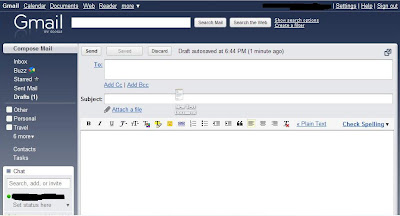
For Gmail users, are you aware that you can now drag-and-drop attachments to your emails? Google announced on the official Gmail blog the release of the new drag and drop attachments feature for Gmail. This new feature is automatically added to every Gmail account so users don’t have to install it via Gmail Labs. All you need to do is create a new email (Compose) and select any file you want to attach and drag it anywhere inside the Gmail interface and drop it. You can add as many attachments as you can as long as you don’t exceed the attachment size limit.


Right now, the Gmail drag and drop attachments feature only work on Google Chrome and Mozilla Firefox 3.6 browsers. This drag-and-drop attachments feature will definitely give users an easier and faster way to add attachments in Gmail.
Btw, Google released another new Gmail feature that lets you insert calendar invitations. Pretty useful if you use Gmail alot and want to share your schedules and activities with your co-workers, family and friends.
Anyone tried the drag-and-drop attachments or the insert calendar invitations features on Gmail? What are the things you like or dislike about it? If there are any features or options that you’d like to add to them, what would it be? Please share your thoughts.

Things that u never do with PC and Internet

 
  • Switching off with button without shutting down
  • Turn off while application is running
  • Messing with registry if you are not a expert
  • NOT using a virus guard
  • NOT downloading updating OS once a week
  • NOT updating Virus guard once a day
  • Using so much third party tools
  • Using too much unwanted software
  • Deleting a software without uninstalling it
  • NOT using a registry cleaner
  • NOT De fragmenting once a week
  • NOT keeping a Restore point
  • NOT keeping a Backup for essential files
  • Using PC without a cooling device
  • Not clearing Temporary files
  • Registering at every web site
  • Using same password at every registering
  • NOT reading Terms before registering
  • NOT reading Policies before registering
  • Using very easy security questions
  • Using official EMAIL address when registering at sites
  • Downloading every free things
  • Giving true information at registering on unsecured webs
  • Inserting every CD you obtain
  • Trusting your friends on CDs
  • Let auto running CDs & DVDs
  • Double clicking on CDs or USB drives without OPENING
  • Enabling show SYSTEM files
  • NOT enabling showing EXTENSIONS
  • NOT messing with programmers
  • Comment badly on Famous blogs
  • Trying to hack GMAIL , YAHOOMAIL or HOTMAIL
  • Trusting Hackers or Hacking tools
  • Believe every thing on web
  • Trying to HACK sites
  • Downloading softwares from unsecured web sites
  • Giving CREDIT card number without PAYPAL
  • Using CREDIT card at Porn sites and at Sex chats
  • Clicking on unsuspecting things on a site
  • Using same Internet accessing code
  • Not keeping 2 ADMINISTRATOR accounts
  • Giving Passwords from heart (eg :- Pet's name)
  • NOT using a Download manager
  • Not trusting word "FREE"
  • Giving permission to record I.P. address to sites
  • Registering on sites which NOT using anti-spam methods
  • Opening EMAIL with crazy names
  • Opening EMAILS with "Dear" or "I love you"
  • Trusting on "PASSWORD-RECOVERY@******.com"
  • Believe in "You are the 99,999,999 user msg
  • Trusting Lotteries and giving credit card numbers
  • Not scanning PC for viruses once a week
  • Not updating softwares when updates are available
  • Killing all huge tasks at Task manager
  • Using PC while eating or Drinking
  • Not thinking that every free softwares are trials
  • Buying RAMS , VGAs without testing on own PC
  • Using tooth paste to clean damaged CDs
  • Buying things of big amounts ( $ *,*** + )
  • Buying things with big different with Original Publisher's price
  • NOT using a UPS
  • Not using Auto save option on applications
  • Not saving once 10 Minutes at Applications which not having Auto save
  • Keeping trust on password banks
  • Buying every E-Books
  • Cheating to huge companies
  • Trusting POP UPS
  • Installing every updates on XP
  • Too much addictive ? then not getting out
  • Clicking on "Click me" , "Don't click here"
  • Playing games with minimum requirements
  • Keeping more than 10 desktop icons
  • Using too much programmes at start up
  • Using more than 2 Operating systems
  • Keeping WEB history
  • NOT organizing files
  • Using CDs of Programming friends
  • Not keeping a BOOT CD
  • Not having a Friend who expert in computers
  • Keeping trust on BETA softwares
  • Turn off before completely shuted down
  • NOT cleaning Key board once a month
  • NOT using a registry cleaner
  • Clicking on Folder icon with ".exe" at end
  • Cheating Adsense
  • NOT checking start up folder before every shut down
  • NOT using a undelete tool

Thursday, January 20, 2011

Mobile Number Portability

What is Mobile Number Portability:
It's a new development in Mobile Communication Technology. In India there are more than 700 million mobile users. In this service the mobile user can switch to other service provider without changing the mobile numbers. Both prepaid and postpaid tele-users have the facility to switch to other favourable tele-operators.

How to switch - Rules:

  • The subscriber, who likes to avail this service, need to send a SMS from his mobile to 1900.
  • Once the customer sends SMS, he will be receiving a unique porting code from the current service provider.
  • Then he need to fill the application in a particular format and mention the new service provider, the customer would like to subscribe for.
  • The new service provider will collect the information about the user from the current operator. A time period of seven days will be taken for the complete transfer of mobile number to the network of the new mobile operator.
  • As a transformation charge for the new operator the subscriber has to pay the amount of Rs 19.

Exception: The time period of transferring the MNP in Jammu and Kashmir, Assam and North East service areas will be 15 days but not 7 days.

Restrictions and limitations:

  • The only restriction is that you can change your operator without changing your number only within your current service area.
  • Suppose a subscriber, who is using a Mumbai number, can not switch to an operator in Bangalore. The subscriber can only change his/her operator within Mumbai only.

Experts' take on Mobile Number Portability:

The implementation of MNP will hit the operating margins of service providers and those with deeper pockets would be better placed to cope up (with the new scenario), ratings agency ICRA stated.

The nation wide implementation will increase churn of customers, shoot-up the customer acquisition and retention and lower the ARPUs (average revenue per user) as competitive tariff plans will have to be offered, the agency said in a note.

On service quality, operators will have to focus on better customer care and network coverage while differentiated services like 3G can also swing customers towards a particular operator, ICRA added.

However, mobile users are advised to think twice before switching to another tele operators as surveys have revealed that the net effect of number portability is practically negligible.

Consumers are suggested to change operators better based on a perception of improvement rather than a real difference.

Monday, December 27, 2010

If u lose your mobile in India

If u lose your mobile in India, you can get it back

Got an interesting fact to share. Nowadays each one of us carries Hi Fi
Mobile devices and always fears that it may be stolen.
Each mobile carries a unique IMEI i.e. International Mobile Identity No
which can be used to track your mobile anywhere in the world.
This is how it works!!!!!!
1. Dial *#06# from your mobile.
2. Your mobile shows a unique 15 digit.
3. Note down this no anywhere but except your mobile as this is the No.which will help trace your mobile in case of a theft.
4. Once stolen you just have to mail this 15 digit IMEI No. to cop@vsnl.net
5. No need to go to police.
6. Your Mobile will be traced within next 24 hrs via a complex system of GPRS and internet.
7. You will find where your hand set is being operated even in case your No. is being changed.
If u lose your mobile, send an e-mail to cop@vsnl.net with the following Info:
Your name:
Address:
Phone model:
Make:
Last used No.:
E-mail for communication:
Missed date:
IMEI No.:

Friday, December 17, 2010

How to display the top secret of Sony Ericsson mobile phones

How to display the top secret of  Sony Ericsson mobile phones?Today tip is about the secret codes of Sony Ericsson mobile phones. These codes will work on most of the latest Sony Ericsson mobile sets.  You can display the hidden information of mobile sets and then troubleshoot the routine problems using these codes.
Sony Ericsson Useful Secret Codes


Code                                        Action

0#                                            To display the last dial number

*#06#                                      To display the IMEI Number of the mobile

-> * <- <- * <- *                     Use to display the secret menu of Sony mobile

<**<                                        Use to display the information about mobile network

< 0 0 0 0 >                              Use to reset Sony Ericsson mobile default language

>*<<*<*                                Use to display the mobile software version

<0000>                                  Use to reset Sony Ericsson mobile default theme

#                                            To display the SIM Number of the mobile

**04*0000*0000*0000#     You can access you mobile settings without SIM card

*#0000#                               Use to reset Sony Ericsson mobile English menu

904060 + >                          Use to reset mobile phone settings

904093 + menu                    Use to display the CDMA Mode

On/off button                        Press and release quickly on/off button to verify the battery

                                  
status. > * > (>);                   To display the text contained in the phone

Thursday, November 25, 2010

20 Strange Facts Of Human Body

20 Strange Facts Of Human Body
1. Every hour one billion cells in the body must be replaced.
2. The eye of a human can distinguish 500 shades of the gray.
3. Human thighbones are stronger than concrete.
4. The human heart creates enough pressure to squirt blood 30 feet (9 m).
5. Our eyes are always the same size from birth, but our nose and ears never stop growing.
6. The average cough comes out of your mouth at 60 miles (96.5 km) per hour.
7. Beards are the fastest growing hairs on the human body. If the average man never trimmed his beard, it would grow to nearly 30 feet long in his lifetime.
8. Babies’ eyes do not produce tears until the baby is approximately six to eight weeks old.
9. Every person has a unique tongue print.
10. A sneeze can exceed the speed of 100 mph.
11. Dead cells in the body ultimately go to the kidneys for excretion.
12. The smile is the most frequently used facial expression. A smile can use anywhere from a pair of 5 to 53 facial muscles.
13. One out of 20 people have an extra rib.
14. People with darker skin will not wrinkle as fast as people with lighter skin.
15. Human blood travels 60,000 miles (96,540 km) per day on its journey through the body.
16. 85% of the population can curl their tongue into a tube.
17. It takes food seven seconds to go from the mouth to the stomach via the esophagus.
18. Women hearts beat faster than men.
19. In one day your heart beats 100,000 times.
20. Hair is made from the same substance as fingernails.

Monday, November 8, 2010

Shah-e-Jahan (Founder of the magnificent monument "Taj Mahal")

Born In: 1628
Died In:
1658
Achievements:
Founder of the magnificent monument "Taj Mahal"

Shah Jahan was the son of Mughal Emperor Jehangir and was originally known as Prince Khurram. After being declared as the Emperor officially, he assumed the title of Abul Muzaffar Shahbuddin Muhammad Sahib-i Kiran-i Sani. However, he was known as Shah Jahan. The first aggression he faced after ascending the throne was from Jujhar Singh, son of Bir Singh Deo, the Bundela chief. After an initial surrender, he rebelled again and was finally killed by the Gonds. A major revolt for Shah Jahan came in the year 1628 by Khan Jahan Lodi, who united with the ruler of Ahmednagar and revolted.

By the year 1630, Khan Jahan gave up the revolt and died near the fort of Kalanjar. Another thing that changed with Shah Jahan's accession was the Deccan policy of the Mughals, which resulted in a suspicion of their alliance with the Shia rulers of Persia. The problem solved with the death of Malik Ambar. In 1631, Mughal army laid a failed siege on Bijapur and in 1633, won the fort of Daulatabad. Read on this Shah Jahan biography further to know more about this great emperor…

The most significant part of Shah Jahan life history is building of the one of the world's most beautiful monument "The Taj Mahal". Shah Jahan fell in love with Arjumand Banu Begum at first sight, when he was in his teens only. Five years later he married her and gave her the name of "Mumtaz Mahal". From that time onwards, she became his inseparable companion, accompanying him even on military ventures. After she died while giving birth to their 14th child, Shah Jahan undertook the work of constructing world's most beautiful monument in her memory. This monument, which entombs Mumtaz Mahal as well as Shah Jahan, came to be known as "Taj Mahal".
Shah Jahan fell ill in September 1657 and taking advantage of this opportunity, one of his son's, Aurangzeb, took over the throne and imprisoned him. Shah Jahan died in 1666 in captivity only and was entombed, along with his favorite wife, inside the Taj Mahal.

Add Shutdown Icon to Your Desktop

Today, I added a shutdown icon to my Dad's Windows XP desktop, to make it easier for him to turn off the computer. This is how you can do it:


  • Right-click on the desktop and choose New > Shortcut.
  • Type shutdown.exe -s -t 00 in the location box and press Next.
  • Type Turn off computer as the name of the shortcut and then press Finish.
  • Right-click the new icon that has appeared on the desktop and select Properties.
  • Click the Change Icon... button on the Shortcut tab.
  • Type %SystemRoot%\system32\SHELL32.dll in the location box and pick the Shutdown icon, which looks like a red square containing a circle with a vertical line.
Now, you can shutdown your computer by simply clicking the "Turn off computer" icon on your desktop, instead of going via the Start menu.

How to connect a mobile device with your system....

Here i want to share an important knowladge with you.
how to detect a mobile device in your computer


sampleCode.cs
=======================================
using System;
using System.Web;using System.Web.Configuration;
public partial class _Default : System.Web.UI.Page
{
protected void Page_Load(object sender, EventArgs e)
{   
HttpBrowserCapabilities hbc = Request.Browser;   
if (((HttpCapabilitiesBase)hbc).IsMobileDevice)   
{       
Response.Write("You are browsing from a mobile device");   
}   
else   
{       
Response.Write("No mobile device");   
}
}
}

=======================================
use it in your program.its very interesting...
if you have any problem with this code then post your comment about that.